The secret to natural-looking high-dynamic-range images is not found in post-processing tricks, but in a pre-emptive capture strategy that prioritizes data integrity over everything else.
- Exposing To The Right (ETTR) is not about overexposure; it’s about maximizing the signal-to-noise ratio by feeding the sensor the highest quality light information it can handle without clipping.
- Manual blending with luminosity masks offers infinitely more subtlety and control over tonal transitions than any automated HDR software, preserving the natural feel of the light.
Recommendation: Stop thinking about “fixing” high-contrast scenes in post. Instead, start planning your exposures to maximize the quality of the RAW data at the source, using the scene’s light itself to dictate your technique.
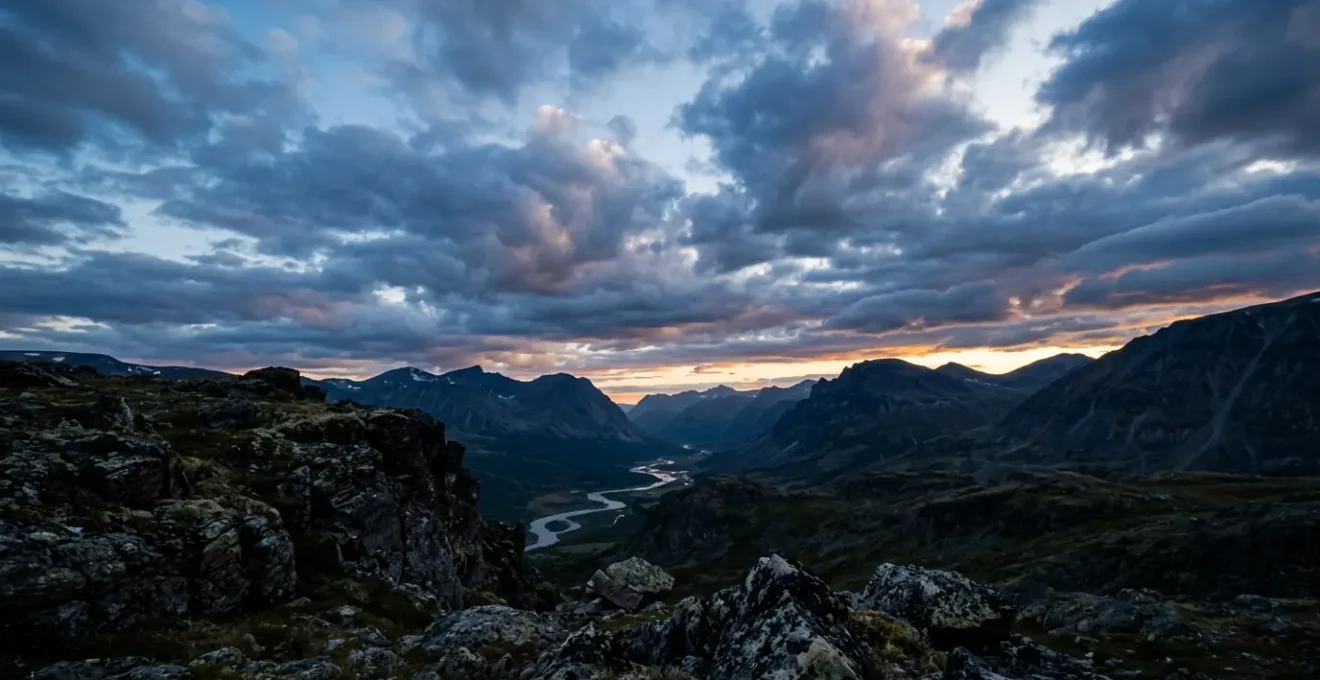
The quest to capture the full tonal range of a high-contrast scene—from the deepest shadows of a forest floor to the brilliant highlights of a sunset sky—often leads photographers down a treacherous path. The conventional solution, High Dynamic Range (HDR) processing, too frequently produces an image that screams “digital.” The result is a hyper-real, cartoonishly saturated landscape with flattened contrast and an unmistakable, artificial glow. This “fake HDR” look is the antithesis of what a purist, dedicated to the subtle beauty of natural light, seeks to achieve. Many photographers try to solve this with automated in-camera HDR modes or by bracketing exposures and hoping for the best with a one-click software solution.
These approaches treat the symptom, not the cause. They are rescue missions, attempting to salvage poor data after the fact. The true art of managing a wide dynamic range lies in a fundamental shift in thinking. It’s not about what you do in post-production, but about the strategic decisions you make before you even press the shutter. It’s about understanding the very nature of digital capture—how a sensor translates photons into data—and using that knowledge to preserve the integrity and nuance of the light you’re capturing. This requires a deeper, more technical understanding of exposure latitude.
This approach moves beyond simply avoiding clipped highlights. It involves a pre-emptive strategy grounded in the physics of light and sensor technology. Instead of battling with sliders to recover a scene, you learn to feed your camera the richest possible data from the outset. This allows for post-processing that is more akin to a gentle guidance of tones rather than a desperate reconstruction.
This guide will deconstruct the techniques that allow for capturing and rendering high dynamic range scenes with organic, believable results. We will explore the science behind noise, the craft of manual blending, and the strategic choices between optical tools and digital methods. The goal is to empower you to create images that reflect the world as it feels, not as a software algorithm interprets it.
To navigate this deep dive into exposure latitude, we have structured the key concepts and techniques into a logical progression. The following summary outlines the path we will take from foundational theory to advanced application.
Summary: How to Capture High Dynamic Range Scenes Without the “Fake HDR” Look?
- Why Does Pushing the Histogram to the Right Reduce Noise?
- How to Hand-Blend Brackets for Invisible Transitions?
- ISO Invariance: Can You Underexpose and Push Later Safely?
- The Clipping Mistake That Turns Clouds into White Blobs
- When to Use a Graduated Filter Instead of Bracketing?
- Why Does 14-Bit RAW Allow for Extreme Shadow Recovery?
- How to Use an Incident Light Meter to Nail Ratios Every Time?
- How to Master the High-Key Aesthetic for Fine Art Portraits?
Why Does Pushing the Histogram to the Right Reduce Noise?
The technique of “Exposing To The Right” (ETTR) is perhaps the most misunderstood concept in digital exposure. It is not simply overexposing an image. At its core, ETTR is a strategy to maximize the signal-to-noise ratio (SNR) by capturing the cleanest possible data. Digital sensors are linear devices; they capture exponentially more tonal information in the brighter parts of an exposure. In fact, technical research confirms that the brightest stop of exposure uses fully half of the available discrete tonal values in a digital file. When you underexpose, you are starving the sensor and forcing the vast majority of your scene’s information into the lower, “noisier” end of the data spectrum.
Think of it like a sound recording. Recording a quiet whisper and then amplifying it in post-production will also amplify all the background hiss. Recording a strong, clear voice from the start gives you a clean signal that needs little, if any, noise reduction. ETTR is the photographic equivalent. By pushing the histogram as far to the right as possible without clipping the highlights, you are placing the most important tonal information in the highest-quality “bins” of data your sensor offers. When you later reduce the exposure in your RAW converter, you are pulling down a rich, clean signal, resulting in shadows and mid-tones with significantly less digital noise and greater detail.
Case Study: The Revealing Power of ETTR at High ISO
A practical test conducted by Daystar Visions at a high ISO of 3200 vividly demonstrates this principle. When a thermostat was photographed with a standard meter reading (EC 0), the resulting image’s shadow details were plagued by noise, rendering the text on the device illegible even after adjustments. However, by applying the ETTR method and overexposing by +2 stops (while protecting highlights), the resulting RAW file contained far more robust data. After pulling the exposure back down in post, the shadow detail was dramatically cleaner, and the text on the thermostat became perfectly readable. This showcases that ETTR isn’t just a theoretical benefit; it’s a practical method for preserving data integrity and clarity in challenging conditions.
This strategy requires careful monitoring of your histogram to avoid irreversible highlight clipping, but when executed correctly, it provides the highest quality raw material for post-processing, forming the bedrock of a natural-looking final image.
How to Hand-Blend Brackets for Invisible Transitions?
When the dynamic range of a scene exceeds what even ETTR can handle, exposure bracketing is the necessary next step. However, relying on automated HDR software often leads to the very “fake” look we aim to avoid. The key to an organic result is manual blending using luminosity masks in Photoshop. Unlike HDR algorithms that often compress tones globally, luminosity masks allow you to make selections based on the brightness values of the image itself. This means you can create a pixel-perfect, feathered selection that precisely targets only the highlights, shadows, or mid-tones you wish to blend.
This method allows for an invisible transition between your bracketed exposures. You can, for instance, take the perfectly exposed sky from a darker frame and seamlessly blend it into the perfectly exposed foreground from a brighter frame. Because the blend follows the natural contours of the light in the scene, there are no halos or artificial-looking edges. It is a meticulous process that puts the photographer, not the algorithm, in complete control of the final tonality and contrast. The result is an image that appears as if it were captured in a single, perfect exposure.
The workflow for this technique is precise and methodical, ensuring full control over the final image. It’s a craft that requires patience but yields unparalleled results.
- Load all bracketed exposures as layers in Photoshop, placing the base (mid-tone) exposure as the bottom layer.
- Generate a set of luminosity masks to create channels based on the image’s brightness levels. Previewing different highlight masks (e.g., L2-L5) is crucial to find the one that best isolates the overexposed areas.
- Create a selection from the chosen mask channel. This selection will be perfectly feathered according to the image’s own tonality.
- Add a black layer mask to your darker exposure layer (which contains the correctly exposed sky, for example).
- With the luminosity selection active, paint with a soft, white brush at a low opacity onto the black mask. This will selectively and gradually reveal the darker layer only in the highlight areas.
- For ultimate color consistency, set the blending mode of the upper exposure layers to ‘Luminosity’ to ensure only the tonal information is blended, preserving the color accuracy of the base layer.
This granular control is the fundamental difference between crafting an image and simply processing one. It allows the photographer to guide the viewer’s eye and maintain the subtle, natural transitions that give a photograph its sense of realism and depth.
ISO Invariance: Can You Underexpose and Push Later Safely?
The traditional wisdom has always been to get the exposure right in-camera, as “pushing” an underexposed file in post-processing would introduce unacceptable levels of noise. However, the advent of ISO-invariant sensor technology has challenged this paradigm. An “invariant” or “ISO-less” sensor is one where the readout noise is so low that there is virtually no penalty for brightening a properly exposed RAW file in post-production versus increasing the ISO in-camera. Research into sensor technology explains that for perfectly ISO invariant sensors show no noise penalty when brightening photos digitally.
This has profound implications for high dynamic range photography. For a photographer with a camera that has a highly invariant sensor, it becomes a viable strategy to deliberately underexpose a scene to protect critical highlight detail—like the subtle textures in bright clouds—and then push the shadows and mid-tones back up in the RAW converter. While ETTR is about maximizing signal at the source, the invariance strategy is about prioritizing highlight preservation above all else, confident that the shadow data can be recovered cleanly. It’s a different path to the same goal: a full-range, natural-looking image.
This approach isn’t a universal solution; it depends heavily on your specific camera’s sensor performance. But for many modern cameras, it offers a powerful tool for managing extreme contrast without bracketing. As expert Dan Bracaglia notes, this is a strategic choice dictated by the scene itself:
ISO invariance becomes important when there is a high dynamic range, which is a scene with very bright highlights and very dark shadows. In these kinds of scenarios, it’s more important to preserve detail in the highlights by underexposing and then pushing up the shadows in post-processing.
– Dan Bracaglia, Capture the Atlas – ISO Invariance Guide
Ultimately, knowing whether to use ETTR or rely on your sensor’s invariance is a key strategic decision. For scenes with extreme highlights, prioritizing their preservation through underexposure can be the safer, more effective route to achieving natural tonality.
The Clipping Mistake That Turns Clouds into White Blobs
The single most destructive error in high dynamic range photography is highlight clipping. When a highlight is “blown out,” it’s not just bright; the data is gone forever. A clipped area of an image is a digital void—pure white with zero texture, detail, or color information. No amount of post-processing can recover what was never recorded. This is what turns a beautifully detailed cloud formation into an amorphous white blob, or the surface of a waterfall into a flat, uninteresting patch of white. It instantly destroys the illusion of reality.
The histogram is your primary defense against this. However, simply watching the main luminance histogram can be misleading. A scene might appear safe on the overall histogram, while one of the individual color channels (Red, Green, or Blue) is severely clipped. This can lead to unnatural color shifts in highlights, such as sunsets turning a strange yellow or magenta. The only way to be certain is to enable and monitor the per-channel RGB histogram. This allows you to see if any single color channel is being pushed to the point of data loss, allowing you to dial back the exposure just enough to preserve that crucial information.
Case Study: The Two-Faced Waterfall
At Mohawk Falls in Ricketts Glen State Park, a photographer faced a classic dynamic range dilemma: a dark, shaded tree root in the foreground and the brilliantly lit white water of the falls. A single exposure could not capture both. An exposure set to preserve the delicate highlight detail in the water resulted in completely blocked, detail-less shadows on the root (indicated by blue “blinkies” on the camera’s LCD). Conversely, an exposure brightened by just one stop to reveal shadow detail on the root resulted in large areas of the waterfall becoming completely blown out (indicated by red “blinkies”). This scenario perfectly illustrates why bracketing is often necessary and why monitoring the per-channel histogram is critical for preserving believable, textured highlights.
Preserving highlight detail is the cornerstone of a natural-looking image. It’s what gives bright objects form, texture, and dimension. Losing that detail is the fastest way to create an image that feels artificial and digitally manipulated.
When to Use a Graduated Filter Instead of Bracketing?
While digital blending is incredibly powerful, it’s not the only tool for managing a high-contrast scene. The classic approach of using a Graduated Neutral Density (GND) filter remains a highly effective and often superior method, particularly in specific situations. A GND filter is a piece of optical glass that is dark on top and clear on the bottom, with a transition in between. It allows you to physically darken a bright sky in-camera, balancing its exposure with the darker foreground in a single shot. This is a form of “optical blending.”
The primary advantage of using a GND filter is its ability to handle scenes with moving elements. If you are photographing a seascape with moving waves, or a landscape with wind-blown trees, bracketing can result in “ghosting” or motion blur artifacts when you try to blend the frames. A single exposure with a GND filter freezes all motion cleanly. Furthermore, for scenes with a straight, simple horizon, the physical blend of a hard-edge GND filter can often look more natural and require less post-processing than a digital blend. The decision between using a filter and bracketing is a strategic one based on the geometry of the scene and the presence of motion.
The following table, based on the principles outlined in professional photography guides, provides a clear decision matrix. As this comparative analysis demonstrates, the right tool depends entirely on the landscape’s character.
| Scenario Type | Transition Complexity | Recommended Method | Why This Works Best |
|---|---|---|---|
| Sea horizon / Flat desert | Straight line, simple | Hard-edge GND filter | Physical optical blend is smoother than digital for linear transitions |
| Rolling hills / Soft gradient sky | Gentle, simple curve | Soft-edge GND filter | Natural gradation matches the filter’s physical gradient |
| Cityscape / Forest | Complex, irregular | Bracketing + blending | Only digital blending can follow intricate edge details |
| Moving subjects (water, people) | Any (with motion) | GND filter | Single exposure avoids ghosting artifacts from movement between brackets |
Ultimately, a GND filter is not a replacement for digital techniques, but a complementary tool. Mastering both optical and digital blending methods gives you the versatility to handle any lighting situation with grace and precision.
Why Does 14-Bit RAW Allow for Extreme Shadow Recovery?
The ability to recover detail from the shadows of a single RAW file is directly related to its bit depth. Bit depth refers to the amount of tonal information the camera can record for each pixel. A higher bit depth means more discrete steps of tone and color can be captured between pure black and pure white. While many cameras capture 12-bit RAW files, an increasing number of professional and prosumer models offer 14-bit capture. The difference is not trivial; it’s exponential.
A 12-bit file can record 4,096 tonal values per color channel (2¹²). A 14-bit file, however, can record 16,384 values per channel (2¹⁴)—a fourfold increase in tonal resolution. This additional information is not distributed evenly. Much of this extra data is dedicated to differentiating the subtle, nuanced tones in the darker parts of the image. This is why a 14-bit file offers vastly superior shadow recovery. When you push the exposure of a 14-bit file, you are working with a much richer dataset, which results in smoother gradations, less posterization (banding), and finer detail in the recovered shadows.
This difference also directly correlates to the potential dynamic range the file can encode. As technical analysis reveals, where 12-bit RAW can handle about 12 stops of range, 14-bit allows up to 14 stops, giving the photographer significantly more tonal latitude to work with from a single file. For a landscape photographer, this can mean the difference between capturing a usable single exposure in a high-contrast situation or being forced to bracket.
Therefore, when possible, always shooting in 14-bit RAW is a simple but powerful part of a pre-emptive data quality strategy. It provides a deeper well of information to draw from, giving you more flexibility in post-processing and a greater chance of achieving a natural-looking result, even from a single frame.
How to Use an Incident Light Meter to Nail Ratios Every Time?
While the in-camera reflective meter reads the light bouncing off a subject, an incident light meter reads the light falling *on* the subject. This is a fundamental distinction that allows for a far more objective and repeatable measurement of a scene’s true dynamic range. For the purist, it is the ultimate tool for pre-visualizing exposure and planning a bracketing strategy with scientific precision. By measuring the light in different parts of the scene, you can determine the exact “light ratio”—the stop difference between your brightest highlight and darkest shadow—before you even take a picture.
This process removes all guesswork. You are no longer reacting to a histogram; you are proactively mapping the light. Knowing that your scene has, for example, a 7-stop dynamic range allows you to calculate the precise number of brackets and the EV (Exposure Value) spacing required to capture the entire range cleanly. This methodical approach ensures that your brightest bracket perfectly protects the highlights and your darkest bracket contains rich, usable shadow detail, with all the necessary intermediate steps captured. It anchors your final blended image in the reality of the light as it existed in the scene, which is the very essence of a natural look.
The process is methodical and transforms exposure from an art of approximation to a science of precision. An audit of the scene’s light is the first step towards mastering it.
Your Action Plan: Mapping a Scene’s Light Ratio
- Establish the Base: Place the incident meter at your main subject, with its white dome pointed back toward the camera. Take a reading of the key light falling on the subject to establish your reference exposure.
- Measure the Highlights: Move to the brightest part of the scene where you need to hold detail (e.g., the sky) and take an incident reading with the dome aimed at the primary light source.
- Measure the Shadows: Move to the darkest area where you want to retain texture and detail. Take an incident reading with the dome again facing the camera position.
- Calculate the Range: Determine the difference in stops between your highlight and shadow readings. This figure is your scene’s true dynamic range. A 7-stop range, for example, tells you that five bracketed shots at 1.5 EV spacing will be required to capture all the information.
- Anchor the Exposure: Set your camera’s base exposure to the initial reading you took of your key subject. This ensures the final blended image is grounded in the most important light of the scene.
By quantifying the light before capture, you move from hoping you got the shot to knowing you have all the data required to craft a perfect, natural-looking image in post-production.
Key Takeaways
- Exposing to the Right (ETTR) is a deliberate strategy to maximize signal purity and reduce noise by leveraging the linear nature of digital sensors.
- Manual blending with luminosity masks provides unparalleled control over tonal transitions, creating invisible blends that automated HDR software cannot replicate.
- The choice between using a graduated ND filter (optical blending) and bracketing (digital blending) is a strategic decision dictated by the scene’s geometry and the presence of motion.
How to Master the High-Key Aesthetic for Fine Art Portraits?
While much of our discussion has focused on capturing scenes with a vast dynamic range, the principles of highlight control are put to their ultimate artistic test in high-key photography. A true high-key image is not simply a bright or overexposed photo. It is a masterful exercise in tonal compression, where the majority of the image’s tones are intentionally clustered at the bright end of the spectrum, yet still retain subtle detail, texture, and separation. It’s an aesthetic of luminosity and airiness, devoid of deep shadows.
Achieving this look naturally has very little to do with post-processing. It is almost entirely accomplished in-camera through the careful control of light. The pre-emptive strategy here is to create a low-contrast lighting environment from the start. This is done by using large, soft, diffused light sources (like a large softbox or a north-facing window) and adding fill light to “raise” the shadows until they are only a stop or two darker than the key light. The goal is to compress the scene’s dynamic range at the source so that it fits comfortably within the camera’s capture ability.
In this context, your histogram is still vital. You will be exposing to the right, pushing the tones as bright as possible to achieve that luminous quality, but you must be vigilant about not clipping the delicate skin tones. The “white blobs” we try to avoid in clouds are just as destructive on a subject’s forehead or cheekbone. The art of high-key is in pushing the exposure right to the edge of clipping, creating a feeling of brilliant light while preserving every nuance of skin texture. It is the ultimate expression of control over the bright end of the tonal scale.
The journey to mastering high dynamic range scenes, therefore, culminates not just in technical recovery but in artistic control. The next step is to move beyond theory and consciously apply these principles of light and data integrity during your next shoot, whether you are capturing a vast landscape or an intimate portrait.